- 索沛CS1.6论坛 CS反作弊 CS1.6下载 amxx sma插件 cs对战平台 (http://149.88.75.133:27015:27015/index.asp)
-- Wind.Haven (http://149.88.75.133:27015:27015/list.asp?boardid=296)
---- English Basic Information about Advanced , Graphics posts. (http://149.88.75.133:27015:27015/dispbbs.asp?boardid=296&id=2470336)
-- 发布时间:2017-07-01 16:22:00
-- English Basic Information about Advanced , Graphics posts.
English Basic Information
How to do some advance posting to look your topic and replies Prefect and Beautiful.
Hello there , This is _mudder_2
 此主题相关图片如下:

此主题相关图片如下:Here I teach you to do some advance edition into your simple looking topic and replies.
Although the topic was about Graphics , Design and Editing.
So here we go.
1.How to look your replies in bold(dark) letters?
Simply before write your reply type Then don\'t take any space and write the comment you want to write then close it like this . Don\'t give space. Look in the picture and try to understand.
此主题相关图片如下: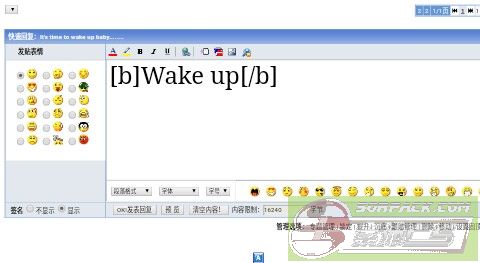
Now press OK to reply and you see your reply is in bold(dark) colour.
此主题相关图片如下: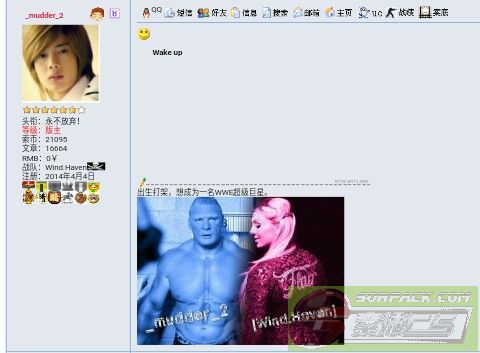
2. How to look your reply in italian effects?
Simply , make then without space make your reply and end it with . Look the picture are try to understand.
此主题相关图片如下: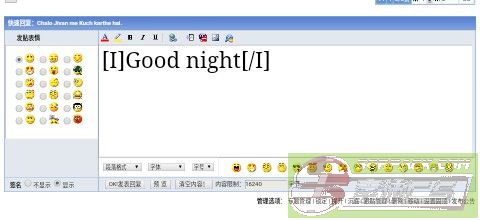
Now press OK and see the reply is in Italian effects.
此主题相关图片如下: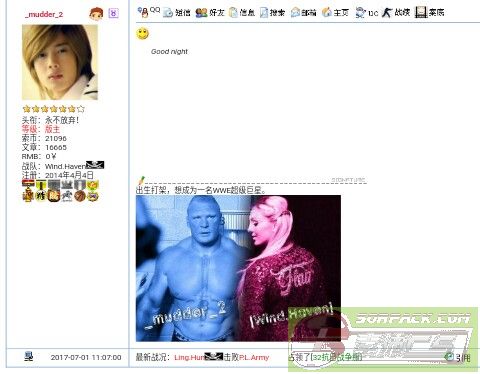
3. How to underline your reply?
Simply , make then without space make your reply and end it with ]. Look the picture are try to understand.
此主题相关图片如下: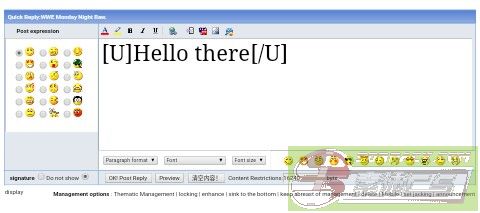
Now press OK and see the reply is Underlined
此主题相关图片如下: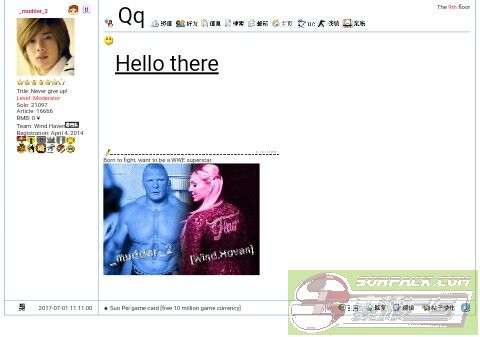
4. How to make your reply starting from Right side to left?
Simply, You see Urdu was written from Right to left. We can also reply which was show in write corner. Type
此主题相关图片如下: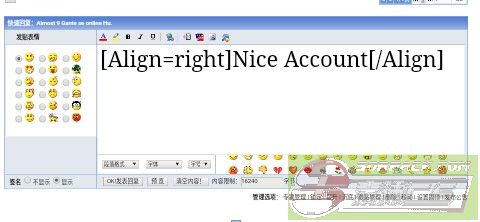
Now press OK and see the reply is in right side.
此主题相关图片如下: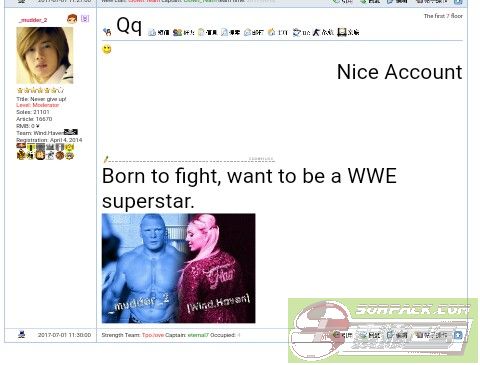
5.How to make your reply in center?
Simply , Type this
此主题相关图片如下: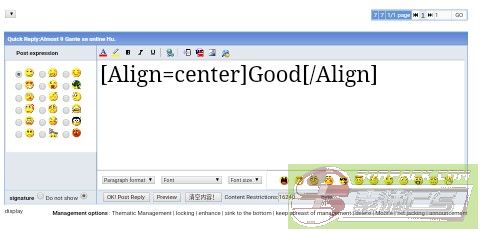
Press OK , Your reply is in center.
此主题相关图片如下: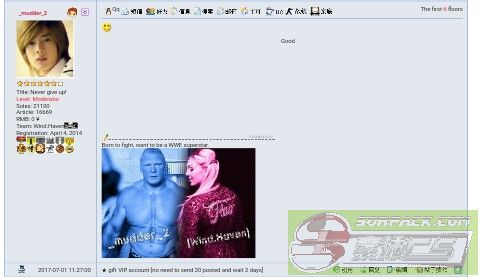
6.How about in left side?
Simply , Type this
此主题相关图片如下: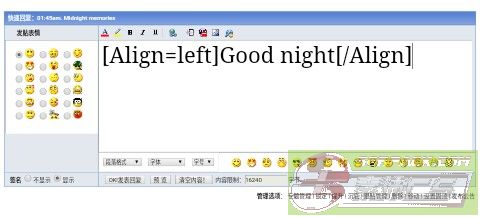
These are just basics of design a post but now come to reply about link. When we are any WWW site. We just copy & paste and reply . Now the viewers copy and paste and search.
So long process. Simply I give you how you can make it simple.
7. How can viewers directly click on the web and open it?
Simply , For example I want to share WWE official website to you then I type like this.
此主题相关图片如下: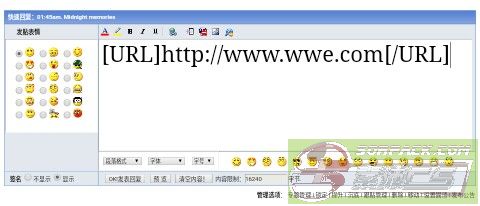
As I use WWE site , you can use your choosing site. Press OK and use see now anyone easily click on the link and open it , No need to copy it.
此主题相关图片如下: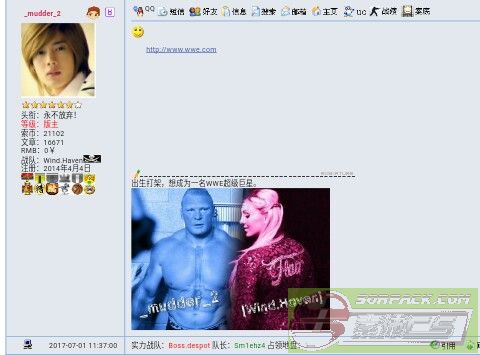
8. How can we change the site name where we posting it and name it by our choice?
Simply , Follow the 7 processor and the space between] Write here the name [ .
See the picture and try to understand.
此主题相关图片如下: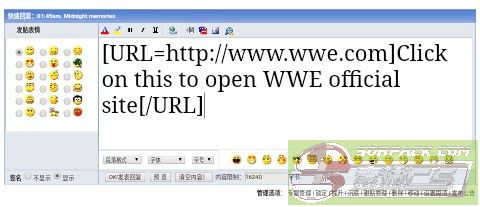
See I gave a name to site in above picture. Now it\'s look like this.
此主题相关图片如下: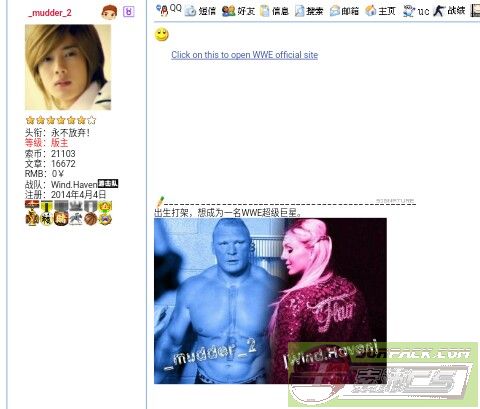
These tips help you posting and website or link in advanced style.
Now some guy\'s want to talk on e-mail. They share their email id by different ways.
But I\'m going to tell you the easiest way to share your email id , than viewers can see and click on it directly get a options to send a mail you.
9.How can I share my email id in that way that viewer\'s can easily send me mail?
Simply , See the picture and type in that boxes Email . And type your email id between these without taking space ] [.
此主题相关图片如下: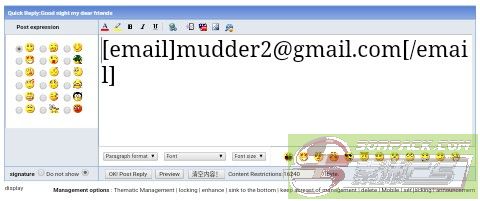
Now your post is look like this. If you click on it you get direct option to send email to the following.
此主题相关图片如下: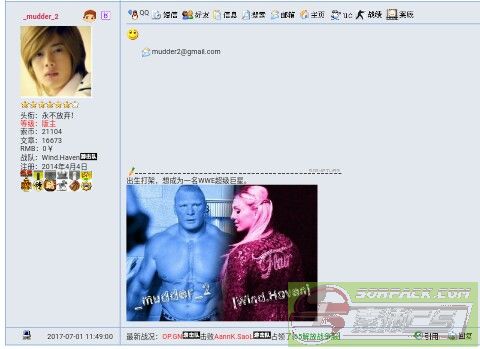
10. How can we change the email name where we posting it and name it by our choice?
Simply , Just like 8 . You need to do some changes in Reply like this.
此主题相关图片如下: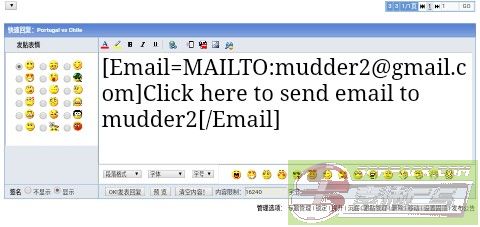
Now you see this . The name you want.
此主题相关图片如下: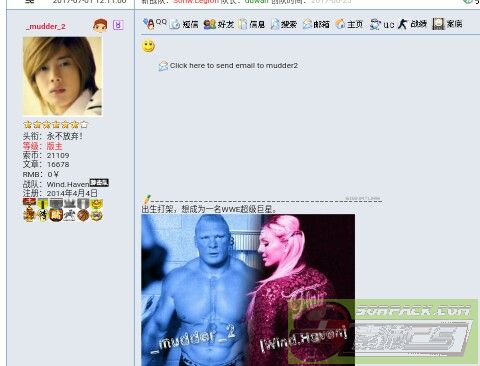
Now , some players reply a video but they said how to upload a video in sorpack.
11.I upload a video but it was not upload. I just Simply copy that video link and paste it here. Why my video is not uploaded?
Simply , If you copy & paste the link of video , you always forget About to add flash
See the picture and learn how to add the use of flash.
此主题相关图片如下: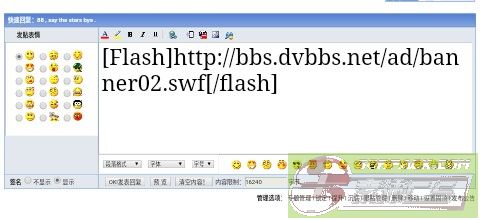
Now the video was successfully uploaded.
Now , I\'ll give the best and special editing in sorpack.70% player of the sorpack not know this.Watch it carefully.
12. Is this possible to make your reply moving here and there?
Simply , Yes it\'s possible. When you reply use this edition.
此主题相关图片如下: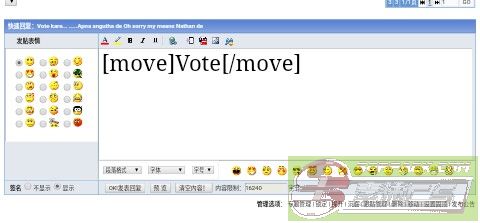 此主题相关图片如下: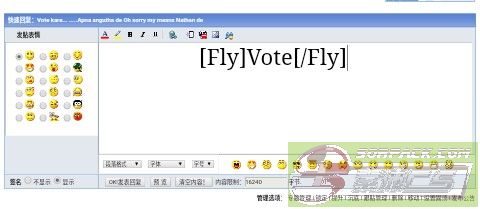
Now see my reply is moving
The purpose of this topic is to make your posts perfect and accurate.
Hope this well help many guy\'s ...
For more help you can contact me QQ
3555259167[此贴子已经被作者于2017-07-04 19:10:48编辑过]
-- 发布时间:2017-07-01 16:23:00
--
Now edit your posts

-- 发布时间:2017-07-01 16:24:00
--
这个老外你够了
-- 发布时间:2017-07-01 16:27:00
--
This is will help Indian players
-- 发布时间:2017-07-01 16:28:00
--
印度老
-- 发布时间:2017-07-01 16:28:00
--
Good job
-- 发布时间:2017-07-01 16:30:00
--
what nonsense is this mudder 2
-- 发布时间:2017-07-01 16:34:00
--
-- 发布时间:2017-07-01 16:47:00
--
Good job
-- 发布时间:2017-07-01 17:04:00
--
Good