


1#



Many players often ask how to convert DEMO into video file.
Here i am presenting how to convert DEMO into video file.
For this you must first know to record a DEMO.
> How to Record Demo and Upload: Please Click Here
Now you need to download VirtulDub software to convert DEMO into Video.
To download software go to this link: http://virtualdub.sourceforge.net/
Follow steps according to photos.
.
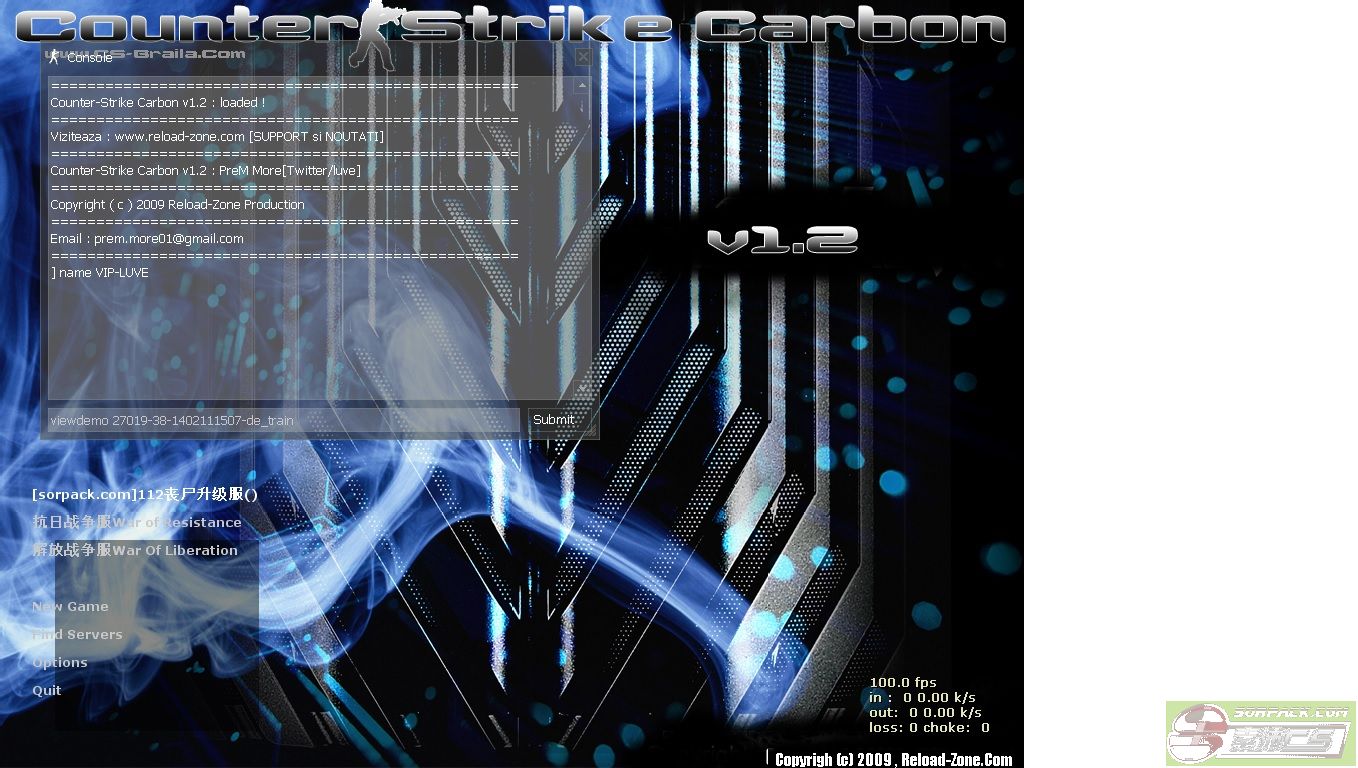
Step 1: open cs and view the DEMO which you wanted to convert into Video.
 此主题相关图片如下:
 此主题相关图片如下: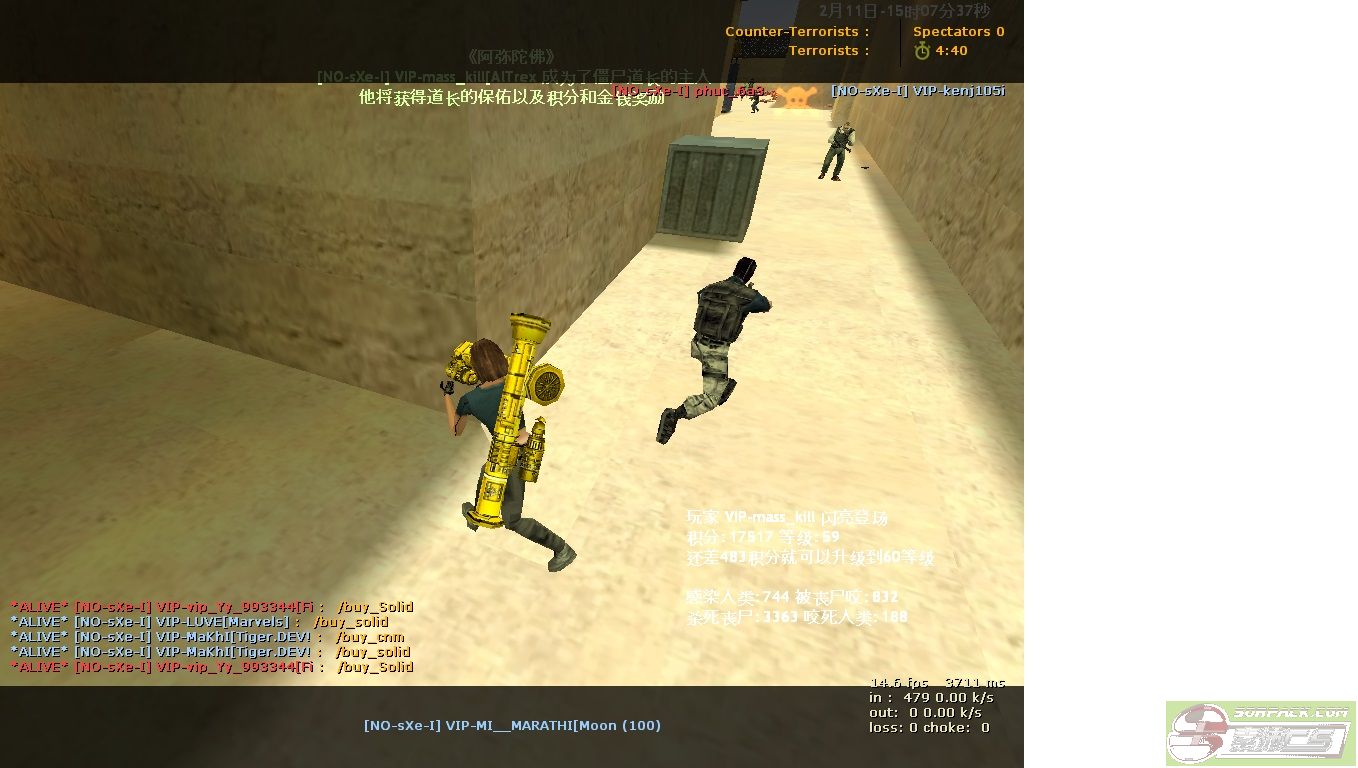
Step 2:
此主题相关图片如下: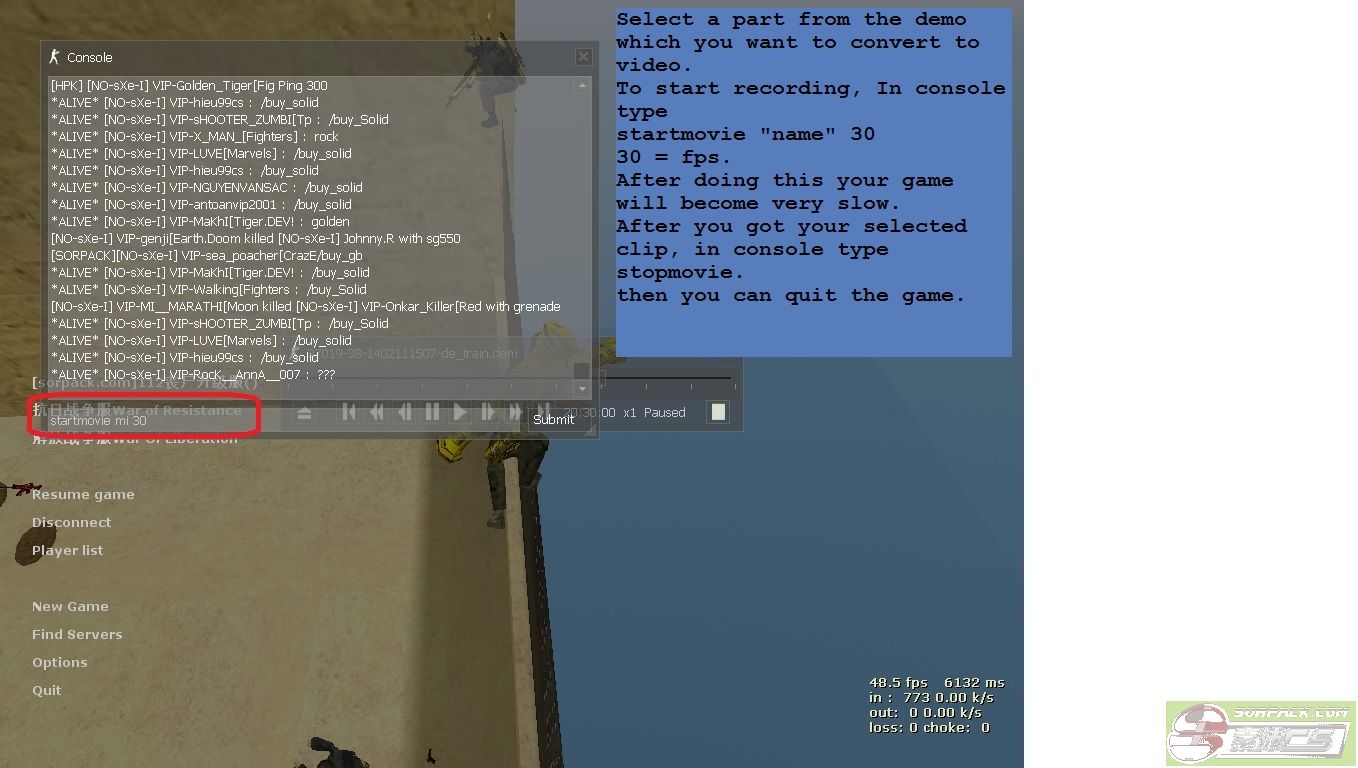
Step 3:Open VirtualDub.
此主题相关图片如下: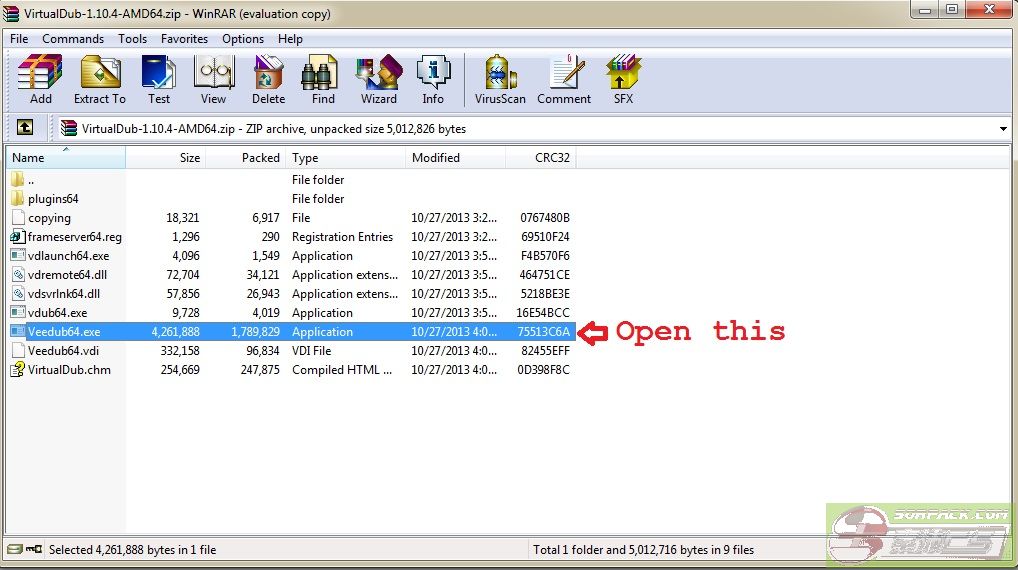 此主题相关图片如下:
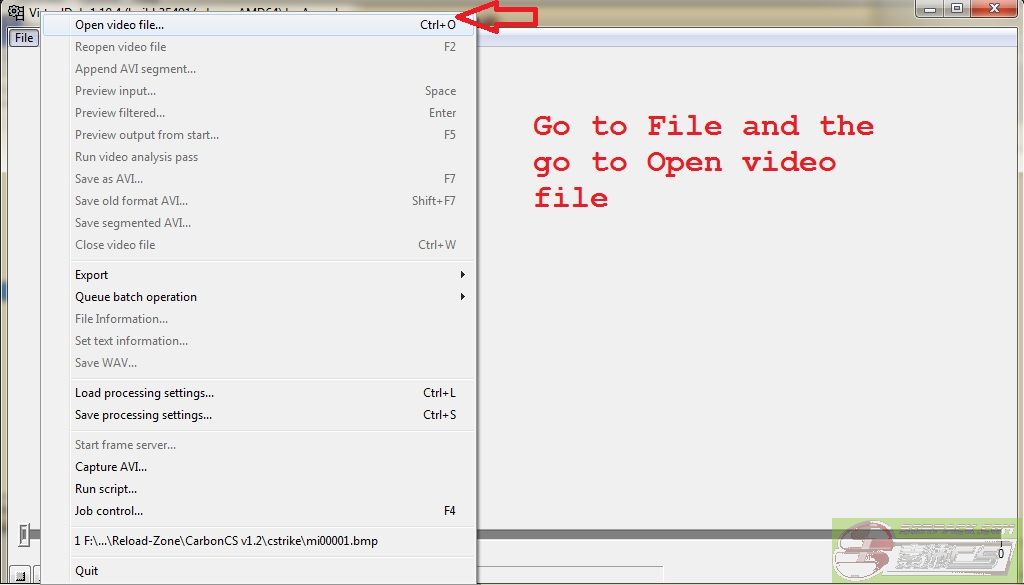 此主题相关图片如下: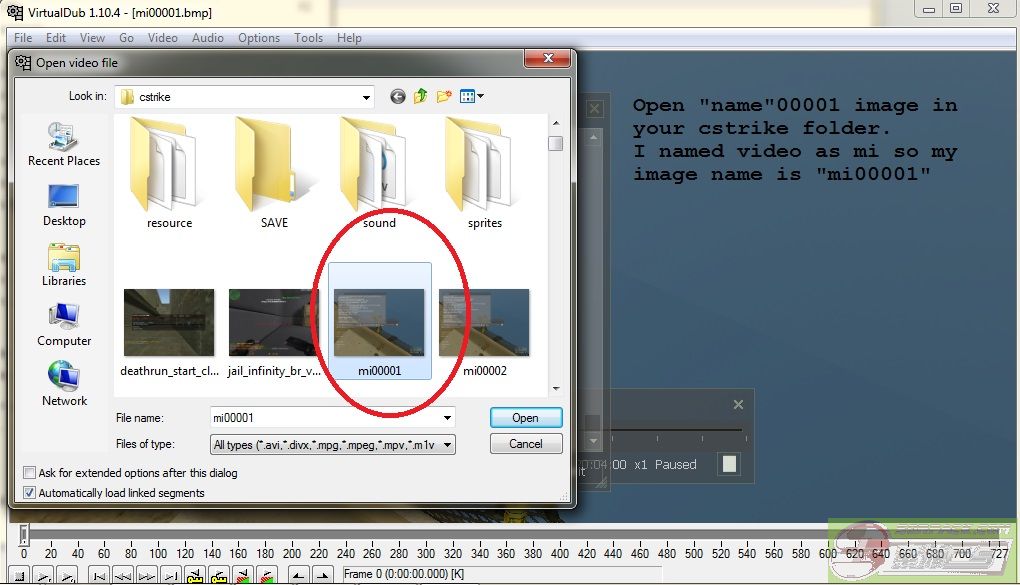
Step 4:
此主题相关图片如下: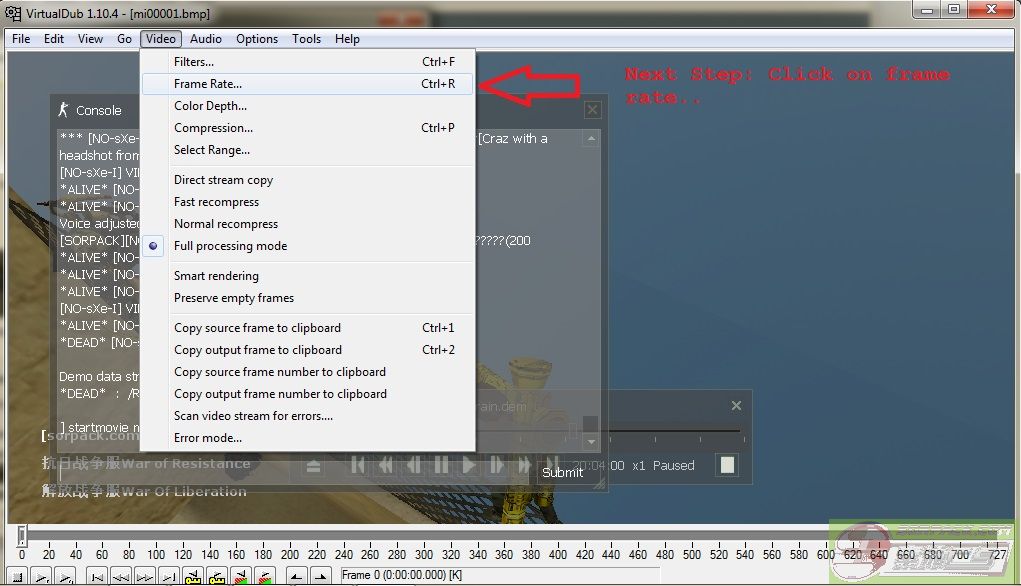 此主题相关图片如下:
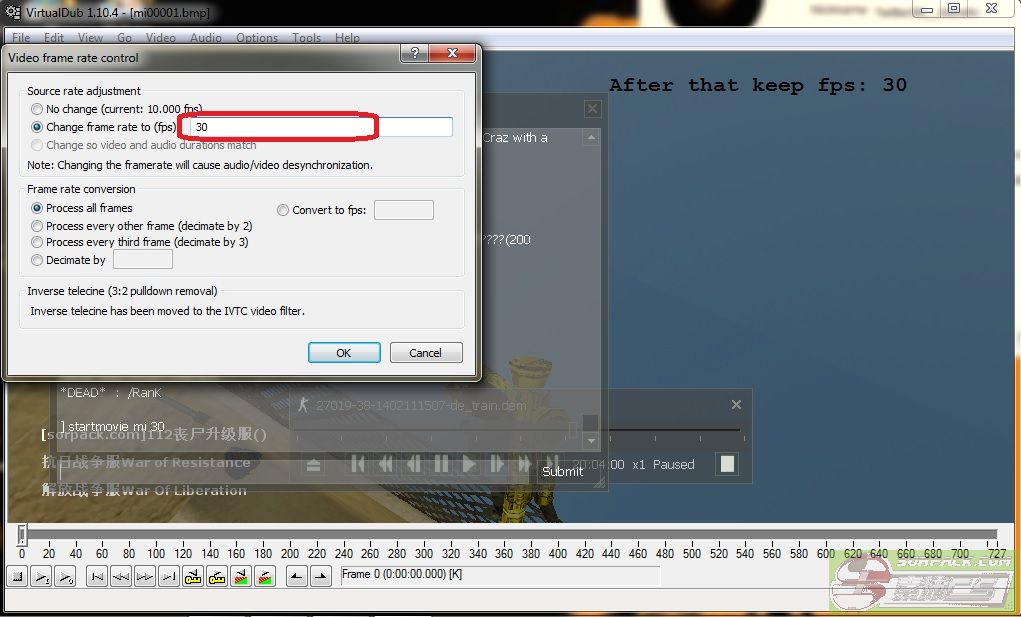 此主题相关图片如下:
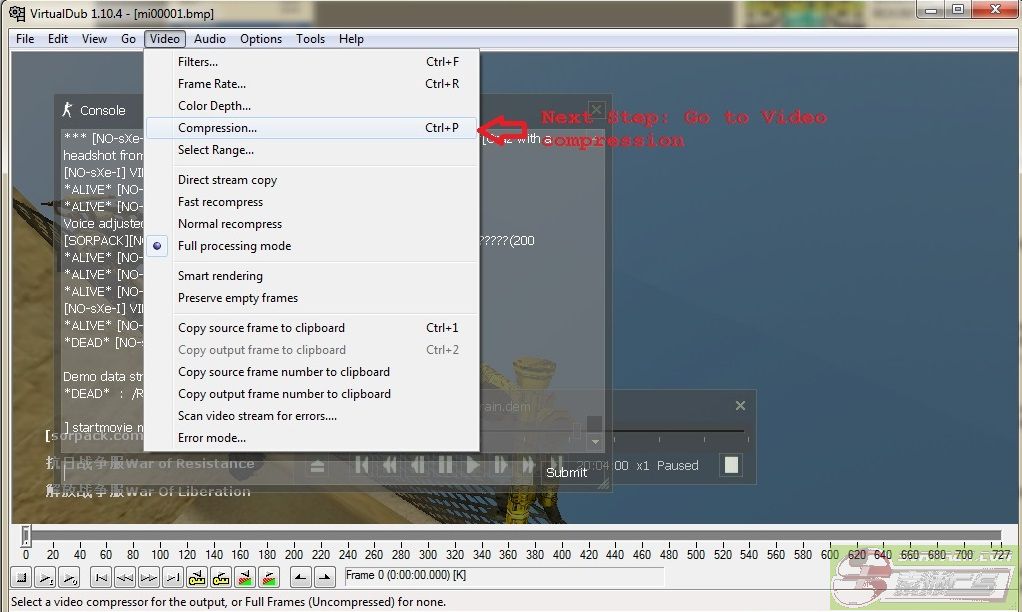 此主题相关图片如下: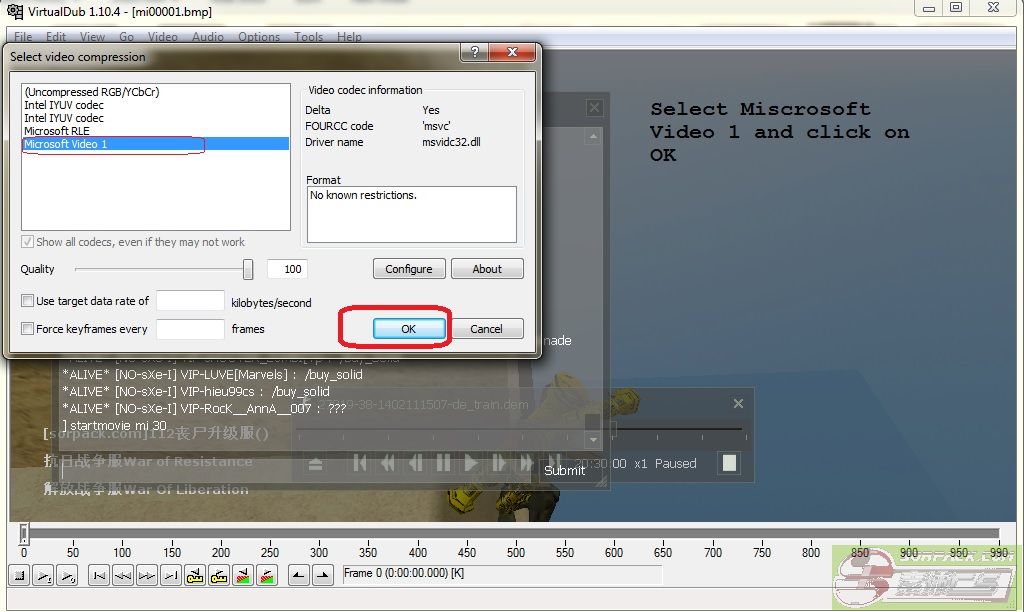
Now you will see VirtulDub look somewhat like this.
此主题相关图片如下: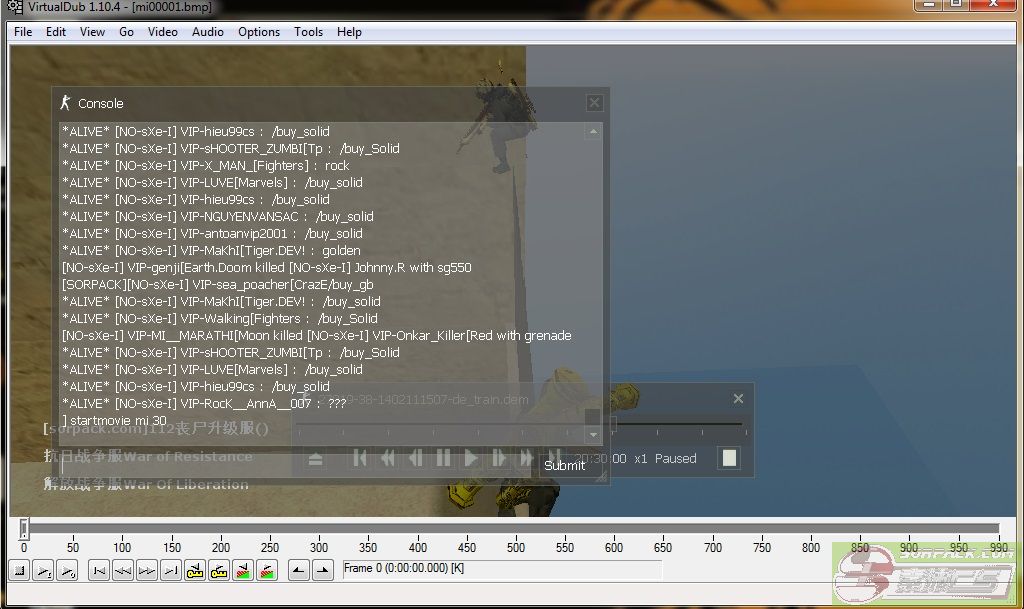
Step 5:
Click on select selection start.(no need to select anything as you have already selected it)
Then click on Selection End and select the time where you want to end vdeo.
此主题相关图片如下: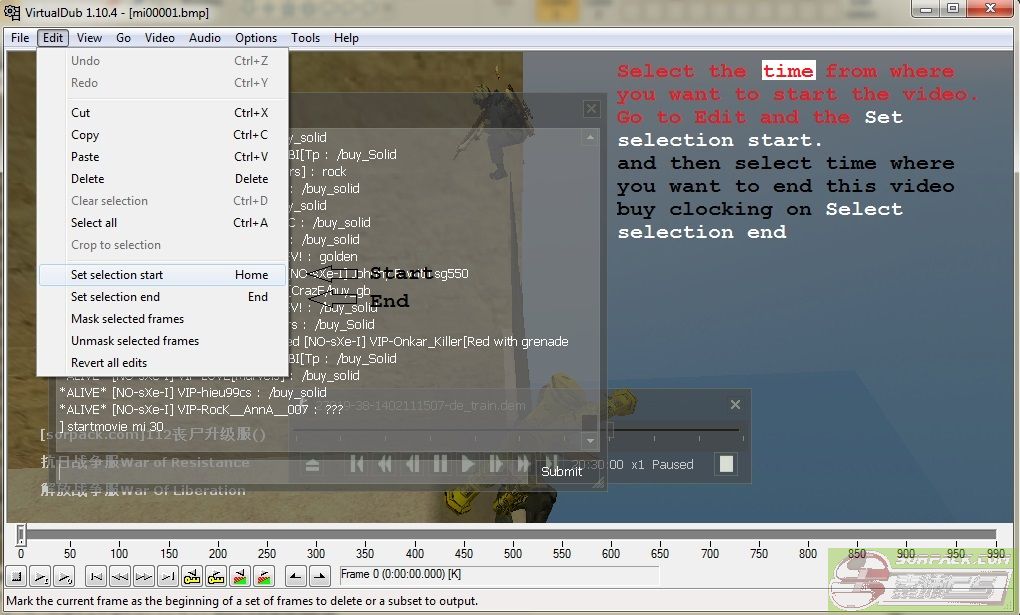
此主题相关图片如下: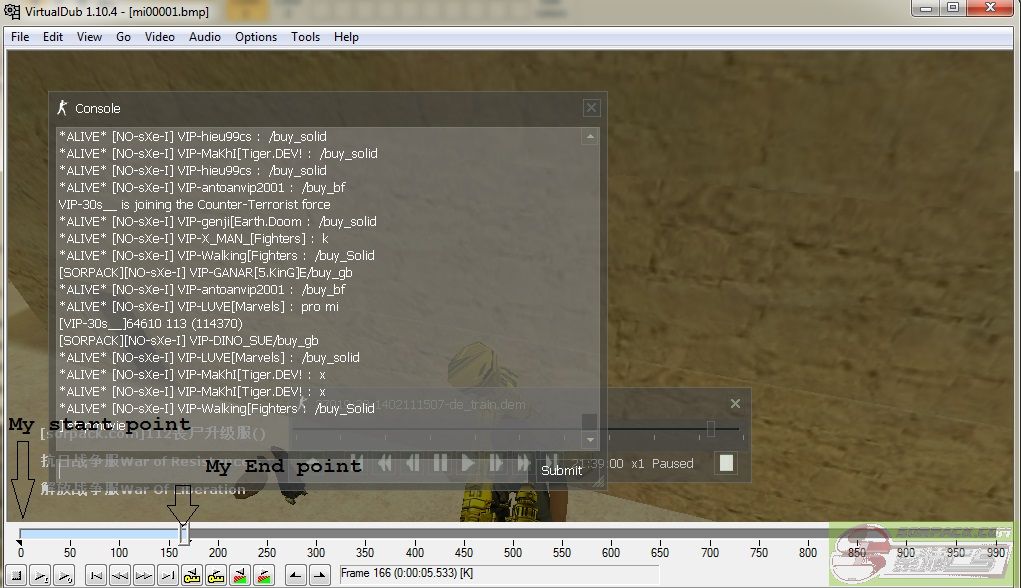
Step 6: SAVE
此主题相关图片如下: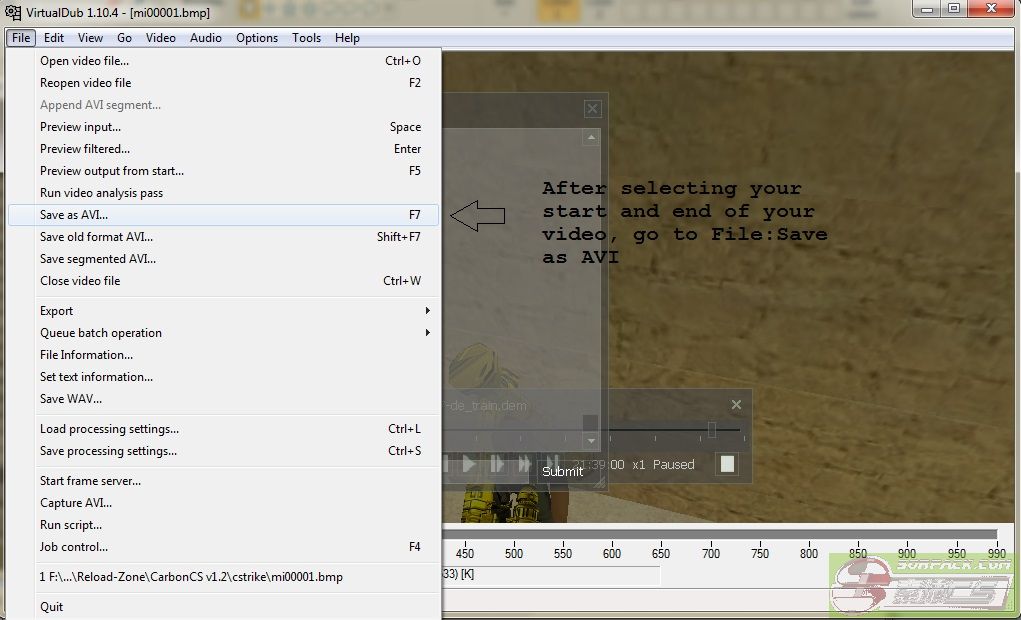 此主题相关图片如下: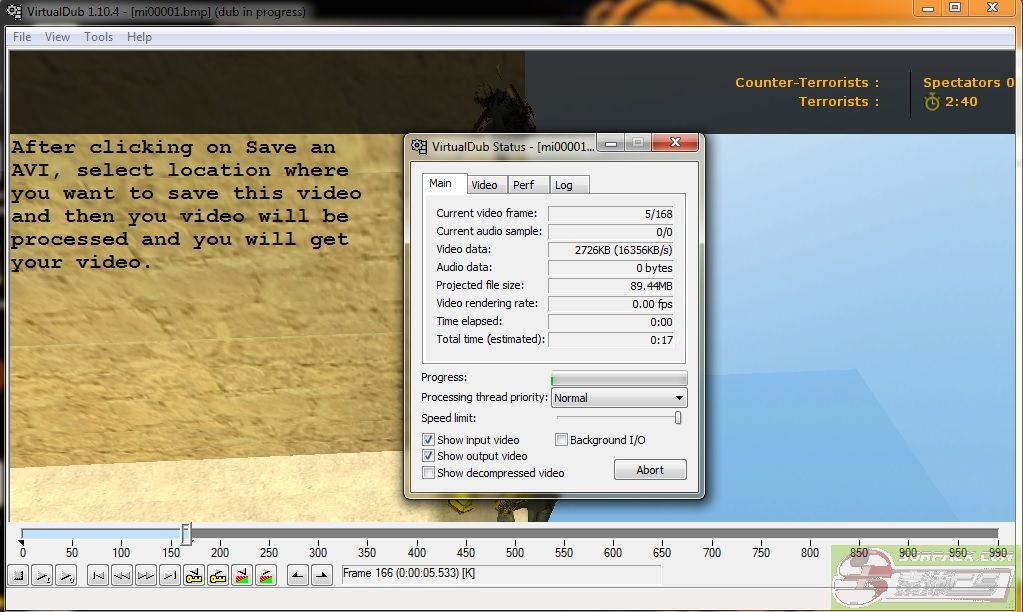
Your video is ready now.
此主题相关图片如下: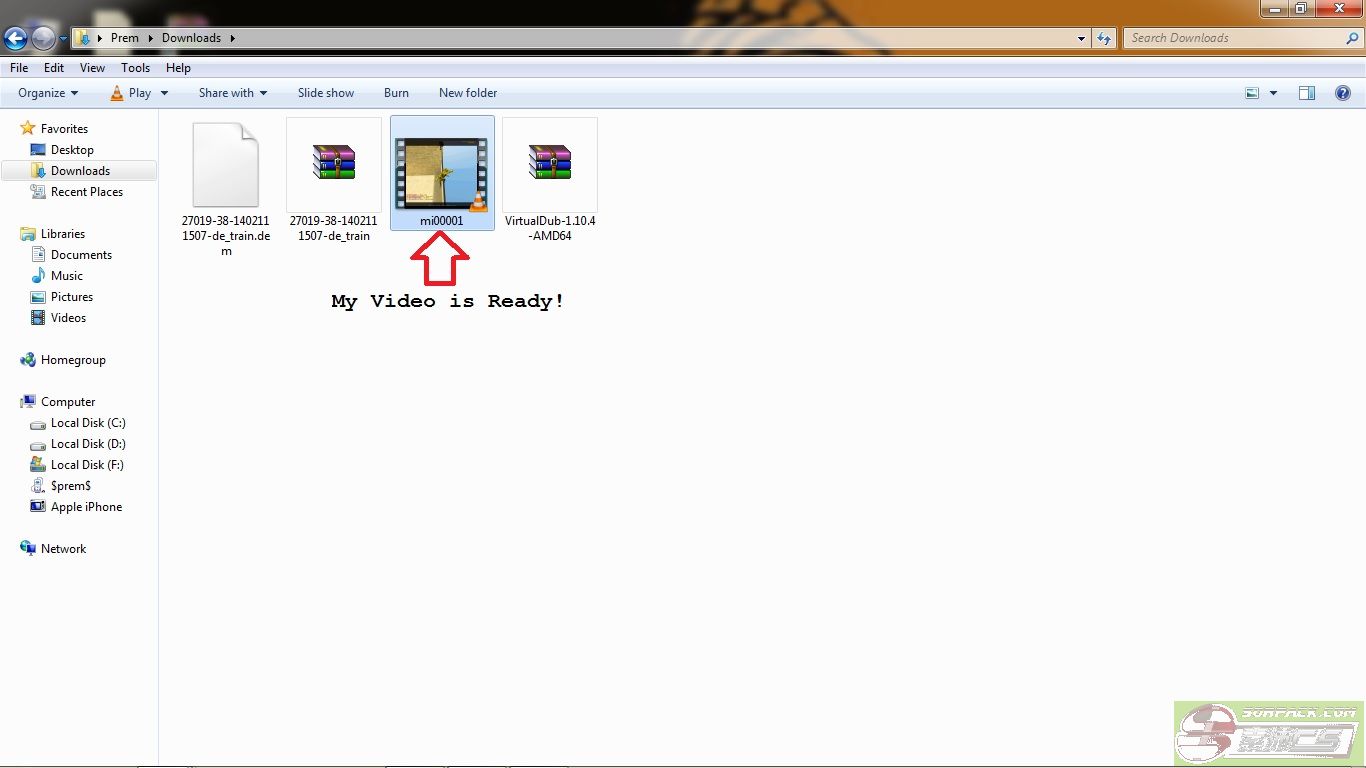
[此贴子已经被作者于2014-2-25 15:33:37编辑过]

 😄
😄